Base64 to Image Converter
Paste Base64 image data, with or without the data URL prefix. The image appears next to it and can be saved as a file.
Runs in your browser. The image data is not uploaded. Sources: RFC 4648, RFC 2397 Updated

How the Base64 to image converter finds the format
- A
data:…;base64,prefix and any white space are removed. - The Base64 is decoded into bytes, in your browser.
- The first bytes are compared with the signatures in the table below to find the format.
- The bytes are handed to the browser as an image. Download saves the same bytes as a file with the matching extension; nothing is re-compressed.
Image file signatures in Base64
| Format | First bytes | Base64 starts with |
|---|---|---|
| PNG | 89 50 4E 47 0D 0A 1A 0A | iVBORw0KGgo |
| JPEG | FF D8 FF | /9j/ |
| GIF | 47 49 46 38 ("GIF8") | R0lGOD |
| WebP | "RIFF", four size bytes, "WEBP" | UklGR |
| AVIF | "ftypavif" from the fifth byte | varies |
| BMP | 42 4D ("BM") | Qk |
| ICO | 00 00 01 00 | AAABAA |
| SVG | text that starts with <svg or <?xml | PHN2Zy or PD94bWwg |
Base64 image example: a 64 × 64 PNG
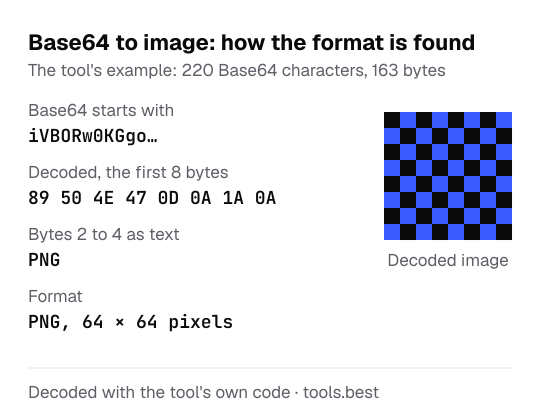
The example in the tool is a 64 × 64 pixel PNG. Its Base64 begins with iVBORw0KGgo. Decoded, those characters are the bytes 89 50 4E 47 0D 0A 1A 0A: the PNG signature. The tool therefore reports PNG, shows the picture and names the download image.png.
The picture is a checkerboard of two colors, #3B5BFF and #0A0A0B. The hex to RGB converter turns them into rgb(59, 91, 255) and rgb(10, 10, 11). If decoding gives text instead of an image, the Base64 decoder shows it.
Using a Base64 image as a data URL
Copy data URL gives you the image as a complete data: URL with the detected type, ready for an <img src> attribute or a CSS url(). Data URLs suit small images such as icons. A Base64 image is about a third larger than the file it came from and cannot be cached separately from the page, so larger images are better served as normal files.
A downloaded QR code PNG is the kind of small, simple image that works well as a data URL.
Base64 to Image Converter: FAQ
How does the tool know what kind of image it is?
Do I need the data:image/png;base64, part?
Why does it say my Base64 is not an image?
The format was recognized but no image appears. Why?
How do I recognize an image from the Base64 itself?
iVBORw0KGgo, JPEG with /9j/, GIF with R0lGOD and WebP with UklGR.