Alphabetical Order Generator
The alphabetical order generator sorts a list with one item per line A to Z as you type. Switch to Z to A or sort by length with one click.
Runs in your browser. Your list is not sent to a server. Sources: Unicode collation Updated
6 lines
How the alphabetical order generator sorts a list
- The text is split into lines. Spaces at the start and end of each line are removed and empty lines are dropped.
- If Remove duplicates is ticked, repeated lines are removed and the first copy is kept.
- The lines are compared with the English collation rules of your browser, ignoring case unless Case sensitive is ticked. Numbers inside a line are compared by value.
- The result is written in the order you chose: A to Z, Z to A, shortest first, longest first, reversed, or unchanged.
Alphabetical order example: one list, four orders
The list banana, Apple, cherry, apple, item 10, item 2, one per line, sorted four ways:
| Setting | Result |
|---|---|
| A to Z | Apple, apple, banana, cherry, item 2, item 10 |
| Z to A | item 10, item 2, cherry, banana, apple, Apple |
| A to Z, duplicates removed | Apple, banana, cherry, item 2, item 10 |
| Longest first | item 10, banana, cherry, item 2, Apple, apple |
"item 2" comes before "item 10" because the numbers are compared as 2 and 10. With duplicates removed, "apple" disappears: without case sensitivity it is the same entry as "Apple", which came first in the list.
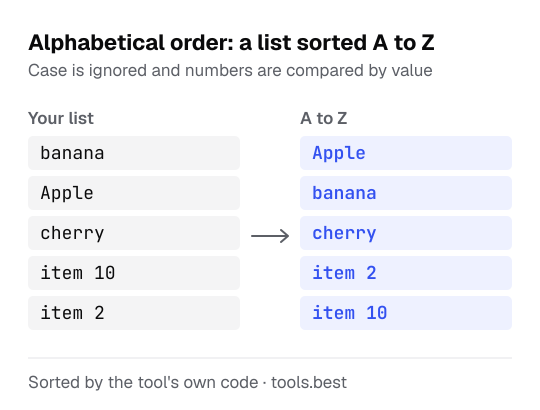
Sort orders: A to Z, Z to A, by length
- A to Z and Z to A: alphabetical and reverse alphabetical.
- Shortest first and Longest first: by number of characters; lines of equal length stay in alphabetical order.
- Reverse the list: last line first, without sorting.
- Keep the order: no sorting. Use it with Remove duplicates to clean a list without rearranging it.
Alphabetizing names, titles and mixed capitals
Each line is sorted as a whole. A list of names sorts by the first word on each line, so write Smith, Anna if you want it ordered by surname.
A title that starts with "The" sorts under T. If you want such titles filed under their second word, move the article to the end first: Beatles, The. The tool does not drop or move words for you.
Capitals do not change the order unless Case sensitive is ticked. When duplicates are removed, the spelling that comes first in your list is the one kept.
To make the capitals consistent first, run the list through Convert Case. The status line under the result counts the lines and the duplicates removed; the letter counter gives words and characters as well. To pair every item with every other one, paste the sorted list into the word combination generator.
Alphabetical Order Generator: FAQ
How do I put a list in ABC order?
Does capitalization change the order?
How are numbers sorted?
How does it handle accents and other alphabets?
What counts as a duplicate?
Sources
- Unicode Technical Standard #10: Unicode Collation Algorithm — the ordering rules behind the browser's Intl.Collator